
 Pусский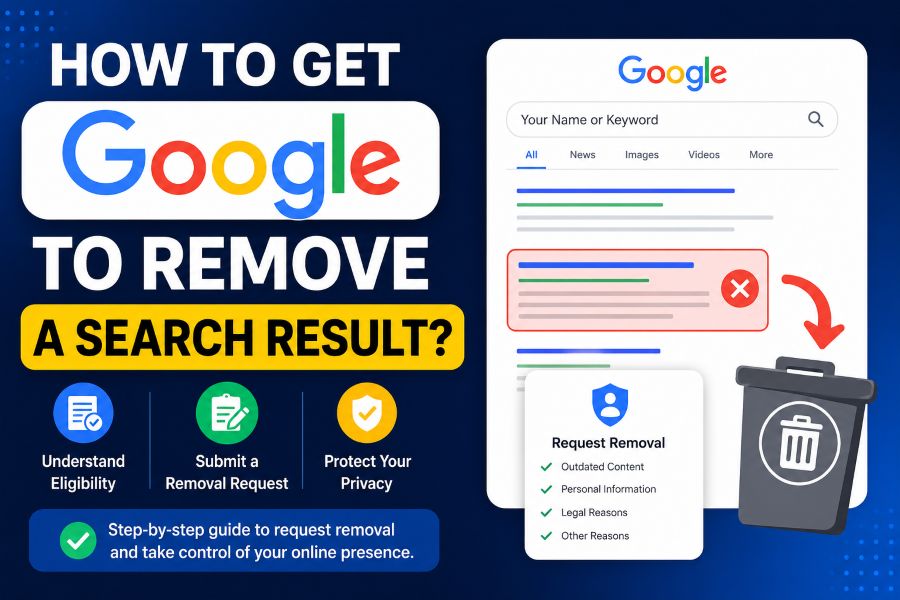
How to get google to remove a search result is one of the first questions people ask when they find private, outdated, harmful, or unwanted content showing up in Google Search. The problem is that Google does not control most pages it lists. It mainly indexes content from other websites. That means the right removal method depends on what the result shows, who owns the page, whether the information is still live, and whether it matches Google’s removal policies.
If you own the website, you have more control. If someone else owns the page, you may need to contact the source, use Google’s private information removal options, submit an outdated content request, or consider online reputation management. This guide explains each path clearly so you can choose the correct next step instead of wasting time on the wrong form.
What Google Can and Cannot Remove
Google can remove some results from Search, but it usually cannot delete the original webpage from the internet. This is the biggest point most people miss.
If a page appears in Google, the content usually lives on another website. Google may stop showing it in search results if it violates certain policies, is outdated, or has been removed from the original site. But if the source page still exists, people may still find it through the original website, social media, direct links, or other search engines. Google’s own help pages make this difference clear.
Google may consider removing results that contain sensitive personal information, such as a home address, phone number, email address, government ID, bank details, credit card details, confidential medical records, signatures, login credentials, or certain doxxing content. It may also remove content for legal reasons or when a page has already changed but Google’s result still shows the old version.
Google usually will not remove a result just because it is negative, embarrassing, critical, or inconvenient. If the content is accurate, public, newsworthy, or lawful, removal may be difficult.
This is where strategy matters. For private data, use Google’s privacy removal options. For changed pages, use the outdated content tool. For pages you own, remove or block the content at the source. For results Google will not remove, use reputation suppression through better content and SEO. A focused online reputation management plan can help when the issue is not eligible for direct removal.
How To Get Google To Remove A Search Result Using The Right Method
The fastest way to choose the right method is to identify your relationship to the page. Do you own it, did someone else publish it, or has the content already been removed from the source?
If You Own The Website
If you own or manage the page, you have the strongest removal options. You can delete the page, add a noindex tag, block access, password-protect the page, or update the content so Google can recrawl it.
Google says site owners can use the Search Console Removals tool to temporarily hide content from search results. For permanent removal, the page must be removed or blocked at the website level, not only hidden in Search Console.
Common site-owner options include:
- Delete the page and return a proper 404 or 410 status
- Add a noindex tag to the page
- Password-protect private content
- Remove private information from the page
- Update the page and request indexing
- Use Google Search Console removals for temporary hiding
This works well when you published a page by mistake, moved a page, exposed private content, or want an old URL removed.
If You Do Not Own The Website
If someone else owns the page, start by contacting the website owner or webmaster. Ask them to remove the content, update the page, or add noindex if appropriate. This is often the strongest long-term fix because Google follows what exists at the source.
If the site owner removes the content but Google still shows the old result, use the Remove Outdated Content tool. Google says this tool is for non-site owners when the page no longer exists or the page no longer contains the information shown in Search.
If the site owner refuses and the content includes private information, doxxing, legal violations, or exploitative removal practices, you may have separate Google request options.
Use Google’s Official Removal Tools Correctly
Google has different tools for different problems. Using the wrong tool can delay your request or lead to rejection.
Google Results About You is useful when your personal contact information appears in Search, such as your address, phone number, or email. Google says this feature can help you find and request removal of results with contact details and set up notifications for new results.
Google’s private information removal form is for sensitive personal data. This can include contact details, government IDs, financial details, private medical records, login credentials, and certain doxxing situations.
The Remove Outdated Content tool is different. Use it when content was already removed from the original page or the page no longer exists, but Google still shows the old version. This tool is not for content that is still live on the source page.
Google Search Console Removals is mainly for site owners. It can quickly and temporarily hide URLs from Google Search, but permanent removal requires source-level action such as deletion, noindex, or blocked access.
The legal removal process is for copyright issues, court orders, defamation claims in certain situations, or other legal reasons. Google may require details, exact URLs, screenshots, context, and contact information to process some removal forms.
If your issue involves exposed home addresses, phone numbers, old personal profiles, or data broker listings, a privacy removal service can help organize opt-outs and monitor whether the information returns later.
SOURCE Removal Framework: Pick The Correct Path
The SOURCE Removal Framework helps you decide what to do before submitting any request. SOURCE stands for Source, Ownership, URL, Risk, Cleanup, and Escalation.
Source
First, find where the content actually lives. Google is usually not the source. It is showing a result from another website.
Open the result and identify whether it is a news site, social profile, people-search site, forum, company page, government record, old blog, or your own website.
Ownership
Next, ask whether you control the page. If yes, fix it at the source. If no, contact the website owner or use the correct Google removal process.
Ownership changes the whole strategy. A site owner can use Search Console. A non-owner usually cannot.
URL
Google removal requests usually need exact URLs. Do not submit only your name or a general domain. Copy the specific page URL that contains the information.
For privacy issues, collect every result that exposes the sensitive information. Google reviews submitted URLs, so accuracy matters.
Risk
Identify the risk level. Private contact details, doxxing, financial information, medical records, or login credentials need faster action than an old article you simply dislike.
Cleanup
Clean the source whenever possible. Remove the page, update the content, opt out of data brokers, or ask the webmaster to edit the page.
Escalation
If source cleanup fails, escalate to Google’s private information removal form, outdated content tool, legal form, or online reputation strategy.
The formula is:
Removal Success = Correct Content Type + Source Control + Exact URL Submission + Policy Match + Follow-Up Monitoring
This formula matters because most failed requests happen when the wrong tool is used, the URL is incomplete, or the content does not match Google’s removal policy.
Common Mistakes That Delay Google Search Removal
Many people rush into a Google form before understanding the problem. That often leads to delays or rejection.
One common mistake is thinking Google can delete any webpage. Google can remove some results from Search, but it does not usually remove the source page from the original website. If the source remains live, the content may still be accessible elsewhere.
Another mistake is using the outdated content tool while the content is still visible on the page. That tool is for content that has already been removed or changed at the source. If the information still exists, the request will usually not solve the problem.
People also submit incomplete URLs. Google needs the exact page URL, not just the homepage or search result page. If private information appears on multiple pages, each relevant URL may need review.
Another mistake is expecting removal for negative but lawful content. Google may not remove a critical review, old news article, public record, or opinion page just because it is damaging.
You should also avoid paying suspicious websites that demand money to remove content. Google has a process for reporting sites with exploitative removal practices, and such cases may require documentation, screenshots, and context.
If removal is not possible, the next option may be suppression. This means publishing and optimizing stronger, accurate, positive content that pushes unwanted results lower. A strong SEO services strategy can support this by improving trusted pages, profiles, and brand-owned assets.
Step-By-Step Process To Remove Or Suppress A Google Result
Use this process before you submit any request.
Step 1: Search your name, brand, phone number, email, or exact phrase. Save the unwanted result and copy the exact URL.
Step 2: Open the page and check whether the content is still live. If it is gone from the source page but still appears in Google, use the Remove Outdated Content tool.
Step 3: Decide whether you own the page. If you do, delete the content, add noindex, password-protect it, or use Search Console for temporary removal.
Step 4: If you do not own the page, contact the website owner. Be clear, polite, and specific. Ask for removal, redaction, correction, or noindex.
Step 5: If the content exposes private personal information, use Google Results About You or Google’s private information removal process.
Step 6: If there is a legal issue, use Google’s legal removal request form and include proper documentation.
Step 7: If the result cannot be removed, build a suppression plan. Create or improve trusted profiles, brand pages, helpful articles, social profiles, business listings, and search-optimized content.
Step 8: Monitor the result after action. Use Google Alerts, manual searches, and privacy checks. Data broker listings and old copied pages can reappear.
This process keeps you from guessing. It also helps you avoid wasting time with the wrong removal form.
Conclusion
Learning how to remove a Google search result starts with understanding what Google can and cannot control. If you own the page, fix the issue at the source first, then use Search Console when needed. If someone else owns the page, contact the site owner, use the outdated content tool when the page has changed, or submit a private information, legal, or exploitative removal request when the content qualifies.
The most important takeaway is simple: Google removal is not always internet removal. A result can disappear from Search while the source page still exists online. That is why the best approach combines source cleanup, the correct Google tool, exact URL submission, and follow-up monitoring. If direct removal is not possible, reputation suppression may be the next practical path.
FAQs
Can Google Remove Any Search Result I Do Not Like?
No. Google usually does not remove a result only because it is negative, embarrassing, or inconvenient. The content usually needs to match a specific policy, such as private personal information, outdated content, legal violations, or certain harmful material.
How Long Does It Take Google To Remove A Search Result?
The timeline depends on the request type. Temporary removals can happen faster for site owners using Search Console. Private information, outdated content, and legal requests may take longer because Google needs to review the submitted URLs and context.
Does Removing A Result From Google Delete The Website Page?
No. Removing a result from Google Search does not always delete the original webpage. The page may still exist on the source website and may be found through direct links, other search engines, or social media.
What If The Website Owner Refuses To Remove The Content?
If the owner refuses, check whether the content qualifies for Google removal due to private information, outdated content, legal issues, or exploitative removal practices. If it does not qualify, you may need online reputation suppression.
What Is The Best Way To Remove Personal Information From Google?
Use Google Results About You for personal contact details and Google’s private information removal form for sensitive data. You should also remove the information from the source website or data broker listing when possible.
Can I Remove An Old Page I Own From Google?
Yes. If you own the site, delete the page, return a proper 404 or 410 status, add noindex, password-protect the page, or use Google Search Console for temporary hiding while Google updates its index.





